





Back to FAQs
How do I switch the Dog Park Finder to satellite mode?
Switching the map to satellite mode is a great way to preview how a park looks before visiting.
Search for an area using the search bar on the homepage, or click the “Explore” button at the top of the page.

Once the map view loads, look for the map mode options at the top of the map. Select “Satellite” to switch from the default “Map” view.
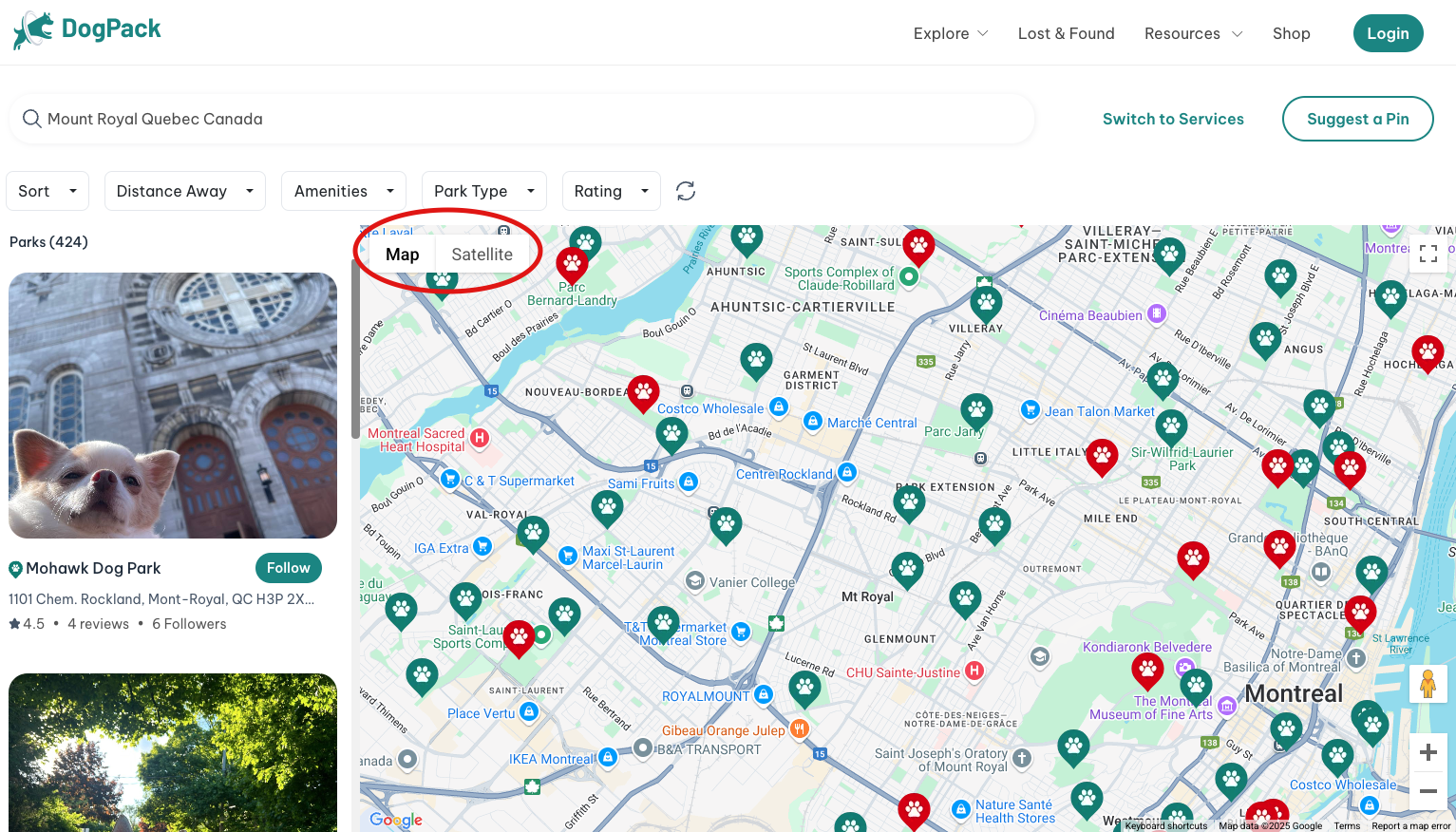
You can zoom in on specific parks to get a closer look at the surroundings. To reset the map back to the default view, simply select “Map.”
 Continue in App
 Continue in